🚀 Awakening 1.3.0 Is Here: New Morphs, Limited-Time Offers & More!

Hi Legends! Big news from the Academy — Awakening 1.3.0 has officially arrived! 🎉

This latest update brings exciting new customization options, limited-time merchant offers, multiplayer improvements, and important bug fixes to make your experience smoother and more fun than ever.

🔄 Feature Rollout Update

Please note: some features in Awakening 1.3.0 are currently being rolled out to select players as part of ongoing testing. This means not all players may see every new feature right away.

We appreciate your patience as we continue refining and improving the experience for everyone!

Let’s take a look at what’s new!.

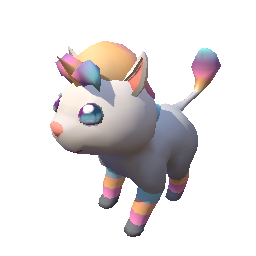
🩄 Sparklekin Has Arrived!

sparklekin

Meet Sparklekin, the all-new exclusive Beastie available through the Adventure Pass! This magical companion is ready to join your journey and stand out in the Academy.

Don’t miss your chance to add Sparklekin to your collection!


🛒 Traveling Merchant: Limited-Time Offers

Wilbo the Traveling Merchant has journeyed far and wide to bring you special limited-time offers!

You’ll find him in the Academy foyer with rotating cosmetics and exclusive items — but hurry, these offers won’t last forever. ⏳

Keep an eye on the countdown timers so you don’t miss out!
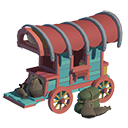
traveling-merchant

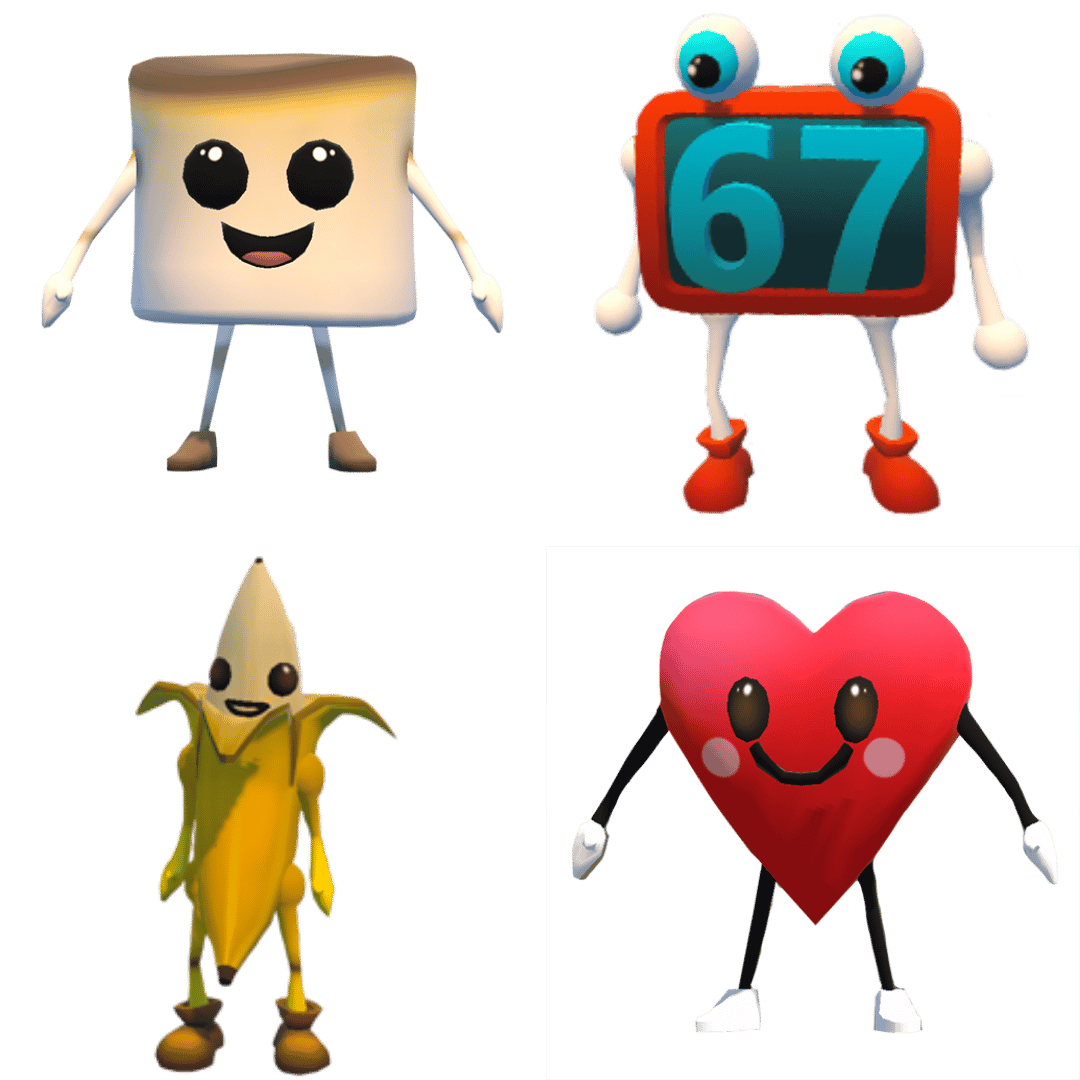
đŸ€– Avatar Morphs

Ready for a transformation? With Awakening 1.3.0, you can now morph your avatar into something completely different!

From the mysterious 67 Morph to the festive Heart Morph, new forms let you show off your style and surprise your friends. Morphs are available now through the Traveling Merchant.

Who will you become?


đŸ‘„ Multiplayer Improvements

We’ve made enhancements to multiplayer performance so that viewing other players in the game is more reliable.

Adventuring together should feel seamless — and now it’s even better.

friends-icon

đŸ€– Avatar Morphs

Behind the scenes, we’ve squashed bugs and made stability improvements to give you a smoother, more polished experience throughout the Academy.


🍎 Teacher Tip: Use new features like Avatar Morphs and limited-time Merchant items as classroom motivators! Set simple achievement goals—such as mastering a skill or completing assignments—and let students celebrate by showcasing new avatar customizations. When students feel ownership over their in-game identity, engagement naturally increases.

🌟 Jump Back Into the Academy

Awakening 1.3.0 is packed with new ways to customize, explore, and connect. Whether you’re collecting Sparklekin, checking out Wilbo’s latest deals, or showing off a brand-new morph, there’s something exciting waiting for you.

Log in today and experience everything new in Awakening 1.3.0!

đŸ“© Have questions? Reach out anytime at support@legendsoflearning.com.
Why Using Games Playlists on Legends of Learning?

The new playlist feature from Legends of Learning gives teachers the ability to deliver engaging science games while closely monitoring student achievement and growth. Here are five reasons to use playlists in your class this coming year:

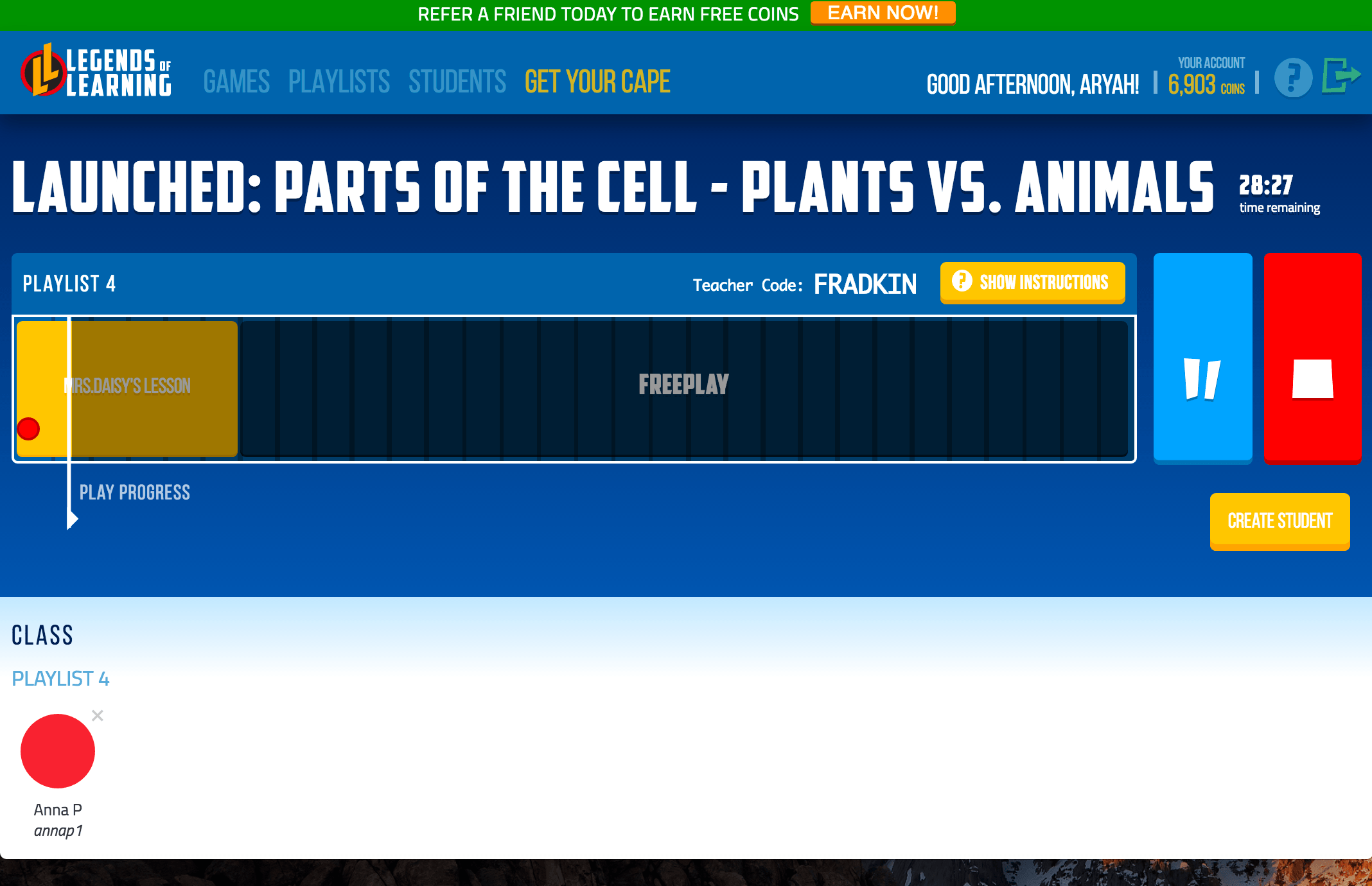
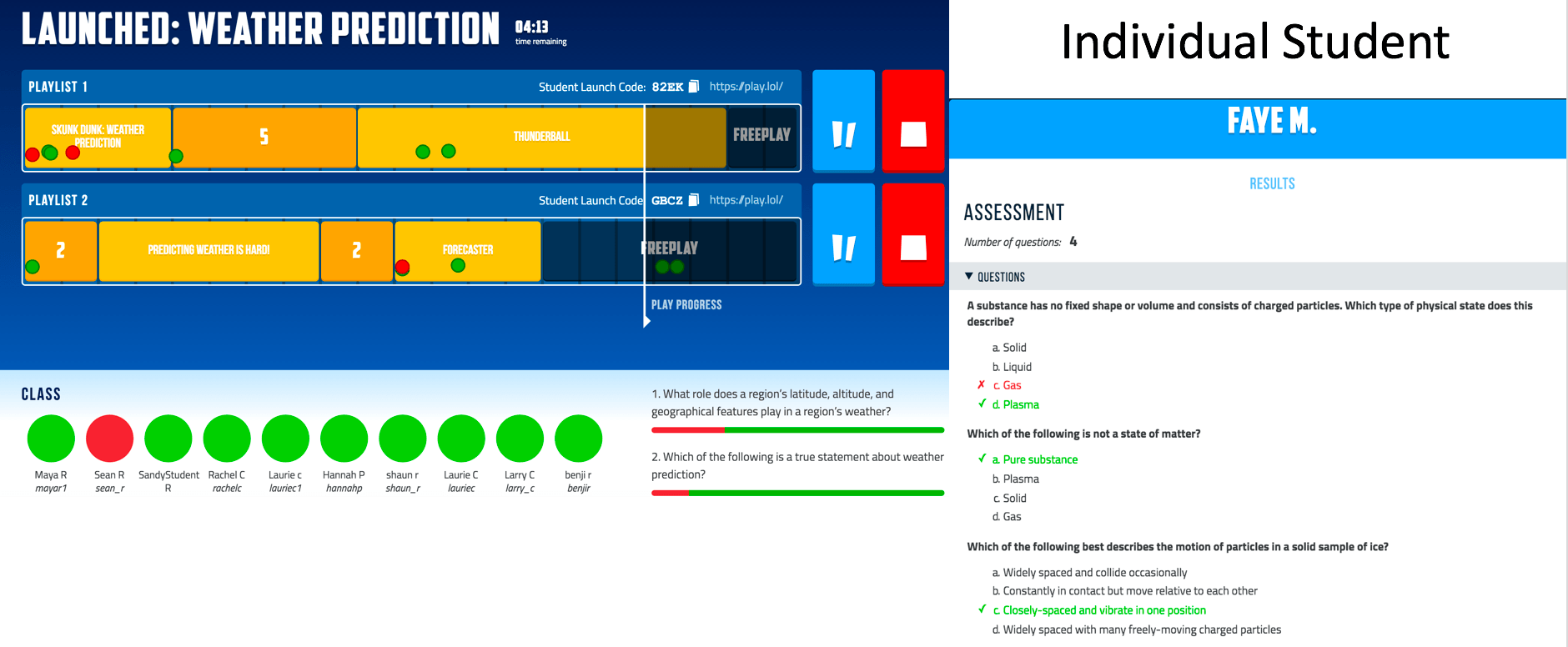
1) Real-Time Data Dashboard – The live teacher dashboard displays student progress in real time. Each student has a dot that moves along the playlist and shows their answers to the questions from the games.

Once the playlist is over, the data is automatically stored in your account. Since every playlist is saved, you can see how student and class performance improves over time.


2) Differentiated Playlists – Creating multiple playlists allows your classroom to divide into cohorts based on academic performance and play the games most appropriate for their academic level. For example, you can create three different playlists for your advanced, proficient, and basic students, or even create a unique playlist for every student in the class. Unlimited playlist creation makes personalizing content easy.

3) Total Teacher Control – Three features give you control of the gaming experience:

  • Playlist length – You can set the timer for 3-60 minutes of game play. If you want to shorten the playlist in live mode, click the stop button and every student’s game will end.
  • Dot Color – Dots turn red if your students stop playing and wander into a different tab. This makes it easy for you to know who is actively engaged in game play.
  • Pause Button – In live mode you can pause all students simultaneously. This ensures you have every student’s attention while you teach.

4) Student Voice – If you offer students Free Play, they can choose which games to play within the current lesson’s learning objective. There are two ways to deploy Free Play:

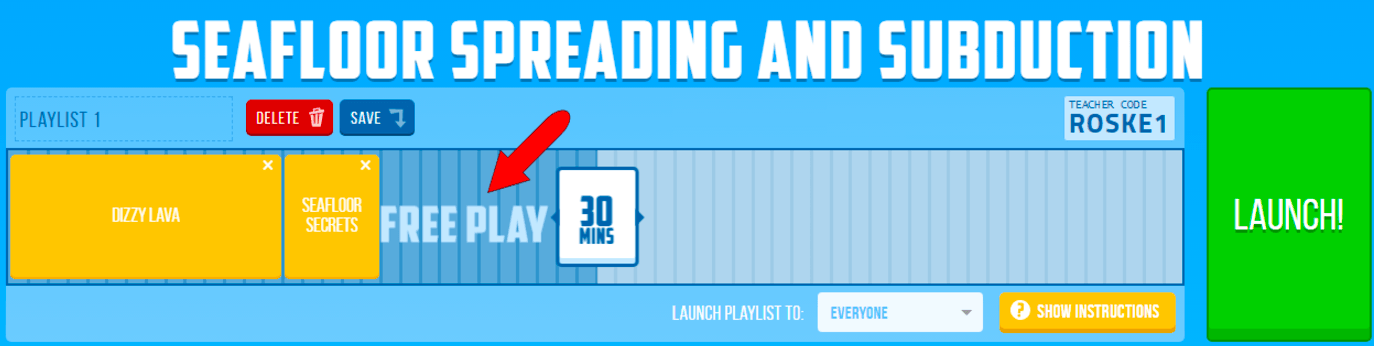
1) Launch a playlist with extra time built in after the games are completed. When the students finish their assigned games, they can pick which games to play with any remaining class time.

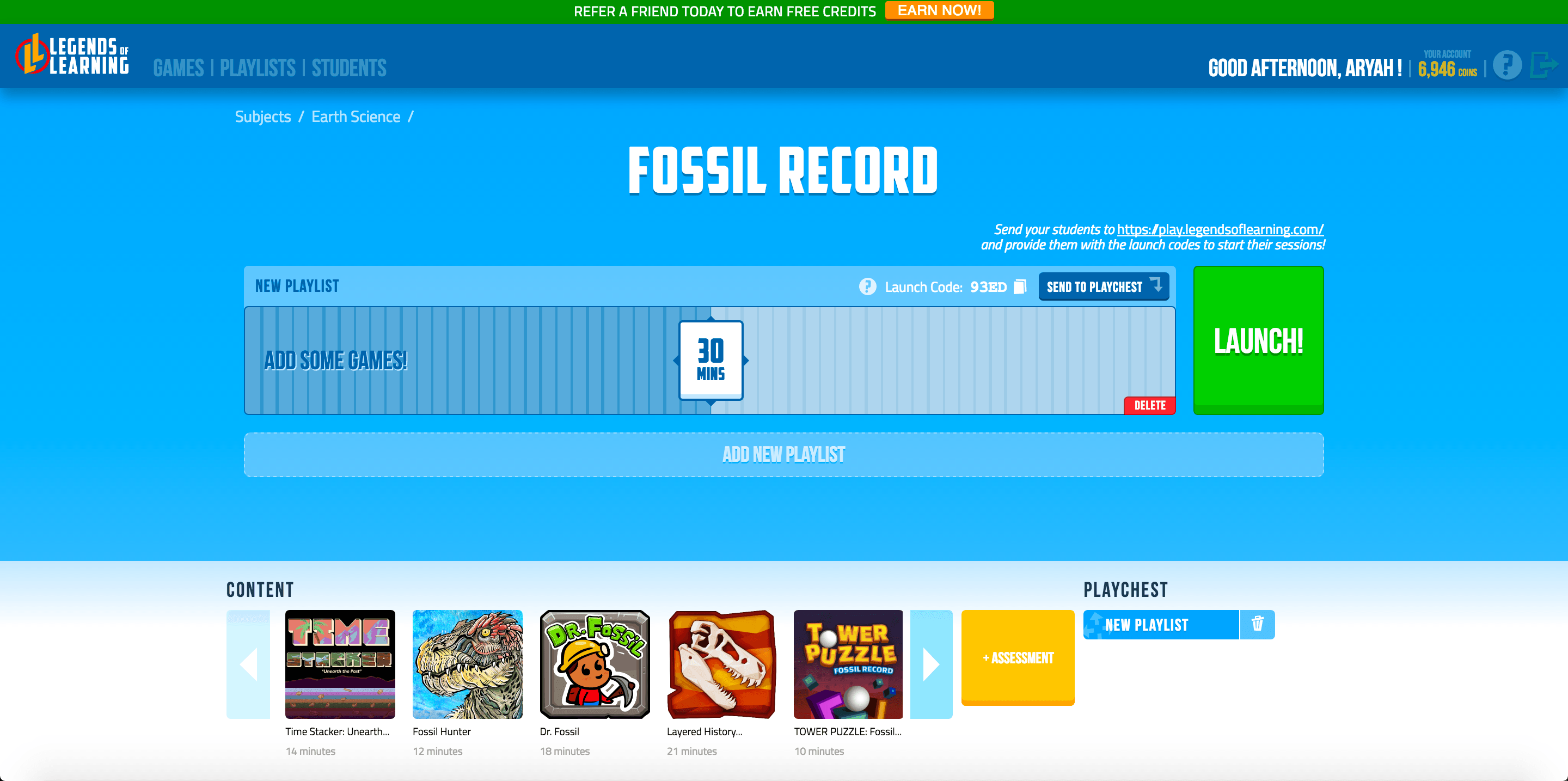
2) Free Play occurs when you launch an “empty” playlist with no games in it. In that case, students can choose whichever games they want throughout the time period.

Free Play Option 1

Free Play Option 2

5) Scheduling Playlists – This soon-to-be-deployed feature will allow you to schedule a playlist to deploy automatically at any time. For example, on Monday you could set a playlist to launch on Tuesday at 2:00 p.m., or on Friday you could set a playlist to launch at 2:00 p.m. and end Sunday night at 7:00 p.m.

This feature lets teachers deploy playlists for homework, or provide substitute teachers playlists as an assignment.

As you think about ways to introduce game-based learning in your classroom this coming year, consider using playlists from Legends of Learning. With all the features playlists offer, you can be confident that fun will translate into real academic growth. Sign up and start creating your playlists today!

For Teachers
For Schools
For Districts